
RJ45 series connectors are here to revolutionize your network experience. Imagine a world where data transmission speeds soar up to Cat 6A (10Gbps), ensuring your connections are reliable and waterproof with IP67 ratings. These connectors, perfect for industrial Ethernet applications, offer features like PoE support, EMI shielding, and UL certification.
Built to endure the most challenging conditions, they promise unmatched performance. With Amphenol LTW, you're getting connectors and investing in quality and satisfaction. Are you curious about how RJ45 connectors can enhance your Ethernet networking? Discover their components, advantages, and installation tips to elevate your network!
Built to endure the most challenging conditions, they promise unmatched performance. With Amphenol LTW, you're getting connectors and investing in quality and satisfaction. Are you curious about how RJ45 connectors can enhance your Ethernet networking? Discover their components, advantages, and installation tips to elevate your network!
What is an RJ45 Connector?
An RJ45 connector is a standardized interface used for network cabling, most commonly recognized in its role as the connector at the ends of Ethernet cables. This modular connector enables communication devices such as computers, routers, and switches, making it a crucial component in wired networks. The RJ45 connector ensures a stable connection for data transmission, which is essential for the smooth operation of Ethernet networks. Whether setting up a home network or a large-scale industrial Ethernet application, the RJ45 connector is indispensable for reliable and efficient networking.

RJ45 Connector Components
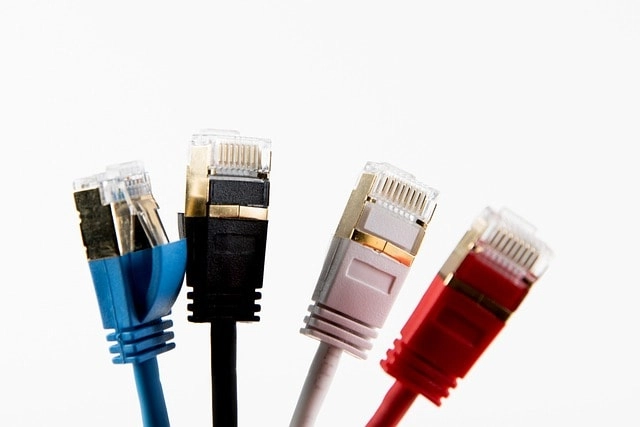
- Pins: The connector houses 8 pins, each corresponding to a specific wire in the Ethernet cable, ensuring proper data transmission.
- Color-Coded Wires: The wires inside the connector are color-coded to facilitate correct wiring, which is crucial for network functionality.
- Protective Sheath: This encases the wires, providing additional protection and preventing damage, thus ensuring durability.
- Latching Mechanism: A latch secures the connector, maintaining a stable and secure connection during use.
- Contacts: The contacts connect the pins to the wires, ensuring a stable electrical connection for data transfer.
Pin Layout and Color Coding
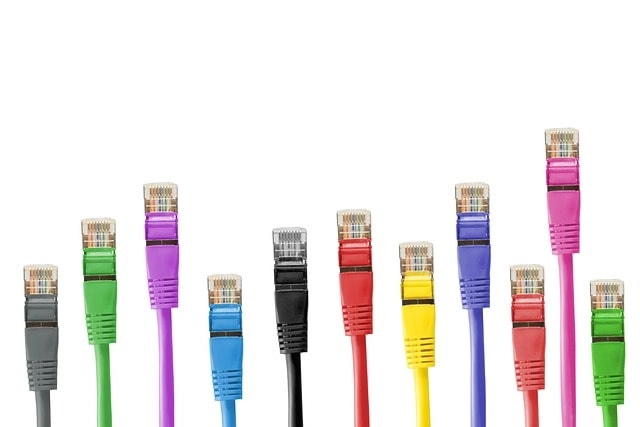
The pin layout for RJ45 connectors follows one of two standards: T568A or T568B. Both standards are functionally equivalent, but T568B is more commonly used in the United States. The T568A standard, however, is often preferred for residential installations and is recognized by the Federal Government. It is particularly used in applications where backward compatibility with older wiring is necessary.
T568A Standard:
T568A Standard:
- Pin 1: White/Green
- Pin 2: Green
- Pin 3: White/Orange
- Pin 4: Blue
- Pin 5: White/Blue
- Pin 6: Orange
- Pin 7: White/Brown
- Pin 8: Brown
- Pin 1: White/Orange
- Pin 2: Orange
- Pin 3: White/Green
- Pin 4: Blue
- Pin 5: White/Blue
- Pin 6: Green
- Pin 7: White/Brown
- Pin 8: Brown
What Makes RJ45 Connectors a Popular Choice?
RJ45 connectors offer several benefits that make them a popular choice for wired networks:
Reliable Data Transmission
RJ45 connectors provide a stable connection for data transmission, ensuring data is transmitted efficiently and effectively.
Easy to Install and Use
These connectors are relatively easy to install and use, making them popular for home and more extensive wired networks.
Cost-Effective
RJ45 connectors are a cost-effective solution for wired networks, providing a reliable connection at a lower cost than other connectors.
Compatibility
RJ45 connectors are compatible with many devices, including computers, routers, and switches, making them versatile and widely used in Ethernet networking.

Reliable Data Transmission
RJ45 connectors provide a stable connection for data transmission, ensuring data is transmitted efficiently and effectively.
Easy to Install and Use
These connectors are relatively easy to install and use, making them popular for home and more extensive wired networks.
Cost-Effective
RJ45 connectors are a cost-effective solution for wired networks, providing a reliable connection at a lower cost than other connectors.
Compatibility
RJ45 connectors are compatible with many devices, including computers, routers, and switches, making them versatile and widely used in Ethernet networking.
Installation and Termination
Installation of RJ45 Connector
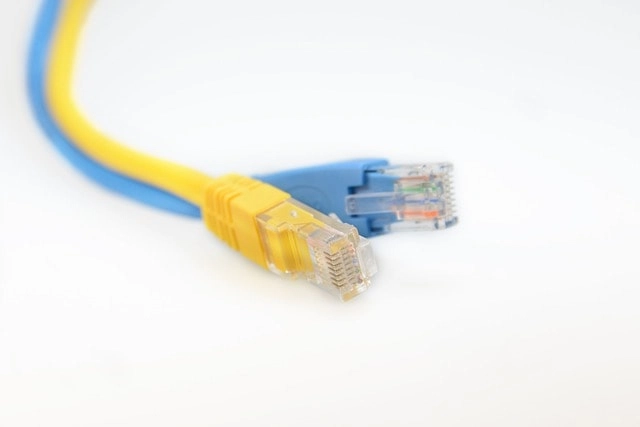
- Gather the necessary tools, including an RJ45 connector and a crimping tool.
- Carefully strip the outer sheath of the Ethernet cable to expose the wires.
- Arrange the wires according to the T568A or T568B color-coding standard.
- Insert the wires into the RJ45 connector, ensuring each wire is positioned correctly.
- Use the crimping tool to press the contacts into the wires, securing them firmly within the connector.
- Check the connector is seated correctly and secured to prevent damage or disconnection.
- Test the connection to ensure the RJ45 connector provides a stable and reliable connection for your Ethernet networks.
Troubleshooting RJ45 Connections
Troubleshooting RJ45 connections is essential for maintaining a stable and efficient Ethernet network. Here are some common issues and solutions to ensure your network operates smoothly:
Common Issues
Common Issues
- Poor or Lost Connection: This can be caused by loose connections or damaged cables. Ensure that the RJ45 connectors are securely plugged into the ports and check for any visible damage to the wires.
- Incorrect Wiring: Incorrect wiring can lead to network failures. Verify that the color-coding of the wires inside the RJ45 connector follows the T568A or T568B standard, as incorrect wiring can disrupt data transmission.
- Signal Interference: Electromagnetic interference from nearby devices can affect network performance. Ensure that your Ethernet cables are kept away from power cables and other sources of interference.
- Faulty Hardware: Sometimes, the connectors, cables, or network devices may be erroneous. Test the connection with different wires or connectors to identify the defective component.
- Inspect the Connections: First, check all RJ45 connectors and cables for secure connections and any signs of wear or damage.
- Verify Wiring: Double-check the wiring inside the RJ45 connectors to ensure they follow the correct color-coding standard.
- Test with Different Equipment: Swap out cables, connectors, or network devices to determine if the issue lies with a specific piece of hardware.
- Use a Network Tester: A network tester can help diagnose issues by checking the continuity and performance of the Ethernet cables.
- Check for Firmware Updates: To avoid compatibility issues, ensure all network devices, such as routers and switches, have the latest updates.
Crimping an RJ45 Connector
Crimping an RJ45 connector is crucial in setting up a reliable Ethernet network. This process involves attaching the RJ45 connector to the end of an Ethernet cable, ensuring a secure and stable connection. Here's a step-by-step guide to crimping an RJ45 connector:
Tools Required
Tools Required
- Crimping Tool: Essential for pressing the contacts into the wires and securing them within the connector.
- Wire Stripper: Used to remove the outer sheath of the Ethernet cable.
- RJ45 Connectors: The modular connectors attached to the cable ends.
- Cable Tester: Optional, but useful for verifying the connection's integrity after crimping.
- Prepare the Cable:
- Use the wire stripper to carefully remove about 1 inch of the outer sheath of the Ethernet cable, exposing the twisted pairs of wires inside.
- Untwist and Arrange Wires:
- Untwist the pairs and arrange the wires according to the T568A or T568B color-coding standard. This ensures proper pin alignment and network functionality.
- Trim the Wires:
- Trim the wires to ensure they are all the same length, approximately half an inch from the sheath.
- Insert Wires into the Connector:
- Carefully insert the arranged wires into the RJ45 connector, ensuring each wire is fully seated in its respective slot.
- Crimp the Connector:
- Place the connector into the crimping tool and press firmly to secure the contacts into the wires. This step is crucial for maintaining a stable connection.
- Test the Connection:
- Use a cable tester to verify the connection. This will ensure that the crimping process is successful and that the Ethernet cable is ready for use.
- Double-Check Wire Order: Double-check the color-coding order before inserting the wires into the connector to avoid wiring errors.
- Ensure Proper Insertion: Ensure all wires are fully inserted into the connector to prevent loose connections.
- Apply Firm Pressure: When using the crimping tool, apply firm and even pressure to press the contacts into the wires securely.
Advantages and Disadvantages of RJ45 Connectors
Advantages of RJ45 Connectors
Disadvantages of RJ45 Connectors
- Reliable Data Transmission: RJ45 connectors ensure a stable and secure connection, essential for efficient data transmission in Ethernet networks. This reliability is crucial for both home and industrial networking applications.
- Ease of Installation: These connectors are user-friendly and relatively simple to install, making them a popular choice for professional network installers and DIY enthusiasts setting up home networks.
- Cost-Effectiveness: RJ45 connectors offer a budget-friendly solution for wired networks, providing high performance at a lower cost compared to other types of connectors.
- Wide Compatibility: RJ45 connectors are compatible with many devices, including computers, routers, switches, and other networking equipment, making them versatile and widely used in various network setups.
- Support for High-Speed Connections: These connectors can support high-speed data transmission, up to 10Gbps with Cat 6A cables, making them suitable for demanding applications that require high bandwidth.
- Durability: RJ45 connectors are designed to withstand frequent plugging and unplugging, ensuring long-lasting performance even in environments with heavy usage.
Disadvantages of RJ45 Connectors
- Susceptibility to Electromagnetic Interference (EMI): While RJ45 connectors provide a stable connection, EMI can be affected by nearby electronic devices, disrupting network performance.
- Limited Flexibility: Once installed, RJ45 connectors provide a fixed connection point, which can be less flexible compared to wireless networking solutions that allow for easier relocation of devices.
- Physical Vulnerability: The small plastic latch on RJ45 connectors can break easily if not handled carefully, potentially leading to loose connections or the need for replacement.
- Complexity in Large-Scale Networks: In large-scale network installations, managing numerous RJ45 connections can become complex, requiring careful organization and labeling to prevent confusion
- Wiring Errors: Incorrect wiring during installation can lead to network failures, requiring meticulous attention to color-coding standards to ensure proper functionality.
Registered Jack (RJ) History and Authority
The Registered Jack (RJ) standard was first defined in the Universal Service Ordering Code (USOC) of the Bell System in the United States. This standard was developed to comply with the registration program for customer-supplied telephone equipment mandated by the Federal Communications Commission (FCC) in the 1970s. The specification includes physical construction, wiring, and signal semantics, ensuring a consistent and reliable connection. Registered jacks are primarily named by the letters RJ, followed by two digits that express the type, such as RJ11 or RJ45. This naming convention helps to standardize connectors and ensure compatibility across different devices and networks.